mid tier build · reviewed July 2026
Best $5,000 Golf Simulator: Full Enclosure Build
SkyTrak+, DIY enclosure, projector, mat, and a budget gaming PC. Real cost: $5,900-$7,300 all-in, the tier where projected course play actually happens.
- $2,995 Buy
Launch monitor
SkyTrak SkyTrak+ / ST MAX - $1,650 Buy
- $759.99 Buy
Impact screen
SIGPRO Premium Golf Impact Screen - $999.99 Buy
Hitting mat
SIGPRO Softy - $1,499 Buy
Projector
Optoma GT2100HDR - $1,000 Buy
- $250 Buy
Software
GSPro Annual subscription
As an Amazon Associate and affiliate partner, CaddieBay earns from qualifying purchases.
This is where a home bay starts feeling like an actual golf simulator rather than a launch-monitor practice station. A projected screen, a real enclosure, and enough PC to run full simulated rounds.
The parts list
- SkyTrak+ / ST MAX ($2,995, watch for Deal Days pricing near $1,995): photometric launch monitor, needs less indoor flight distance than radar units to read spin accurately.
- Carl’s Place DIY enclosure kit ($1,650 finished): impact screen, connector hardware, curtain surrounds, plus a pipe framing kit or self-sourced EMT conduit (see below, the base kit doesn’t include framing pipes).
- SIGPRO Premium impact screen ($759.99): dual-layer, holds up to daily full-swing impact.
- SIGPRO Softy mat, 4x7 ($999.99).
- Optoma GT2100HDR projector ($1,499): 0.496:1 throw ratio, fits tight garage bays.
- Budget gaming PC, RTX 5060 tier (~$1,000).
- GSPro ($250/year).
All-in: $5,900 to $7,300, depending on SkyTrak Deal Days timing and whether you already own a usable PC.
Why this tier, not the $2,000 floor or the $10,000 ceiling
The under-$2,000 build deliberately skips the enclosure and projector: no screen, no full-round feel, just a launch monitor, a mat, and a net, so you can confirm the launch monitor’s numbers are worth trusting before spending on the rest. This tier is the answer once that’s confirmed. The launch monitor itself doesn’t move much between $2,000 and $5,000, a Garmin R10 to a SkyTrak+ is roughly a $2,500 spread, what actually changes is everything wrapped around it: a real enclosure instead of open air, a projected screen instead of a phone or tablet propped on the mat, and a PC built to run full simulated rounds instead of leaning on a laptop you already own.
Step up again to the $10,000 tier and the launch monitor barely moves either, the Bushnell Launch Pro anchoring that build at $2,499.99 sits close to what this tier already spends on a SkyTrak+. What changes there is the enclosure, DIY PVC-and-curtain here versus an aluminum-frame SIG8 with faster, cleaner assembly at $10,000, the projector, 1080p laser here versus 4K laser there, and the mat, SIGPRO Softy here versus Fiberbuilt’s premium turf there. The $10,000 tier is buying finish and longevity for years of daily use. This tier buys the same core experience, projected course play, full rounds, real launch data, at a build-it-yourself level of polish that’s genuinely fine for a weekend-and-evenings garage bay.
The projector and PC choices, explained
The Optoma GT2100HDR isn’t picked for brand recognition, it’s picked for the math. A 0.496:1 throw ratio means it can fill a 120-inch image from just 4 feet 4 inches away, which is what makes it usable in a one-car garage where a longer-throw projector would need to sit behind the hitting position, in the exact spot a full swing occupies. At 4,200 ANSI lumens with HDR10 support, it stays legible with the garage door light seeping in rather than requiring a fully blacked-out room, and its 30,000-hour laser light source means you’re not budgeting for a bulb replacement partway through ownership the way older lamp-based projectors demand.
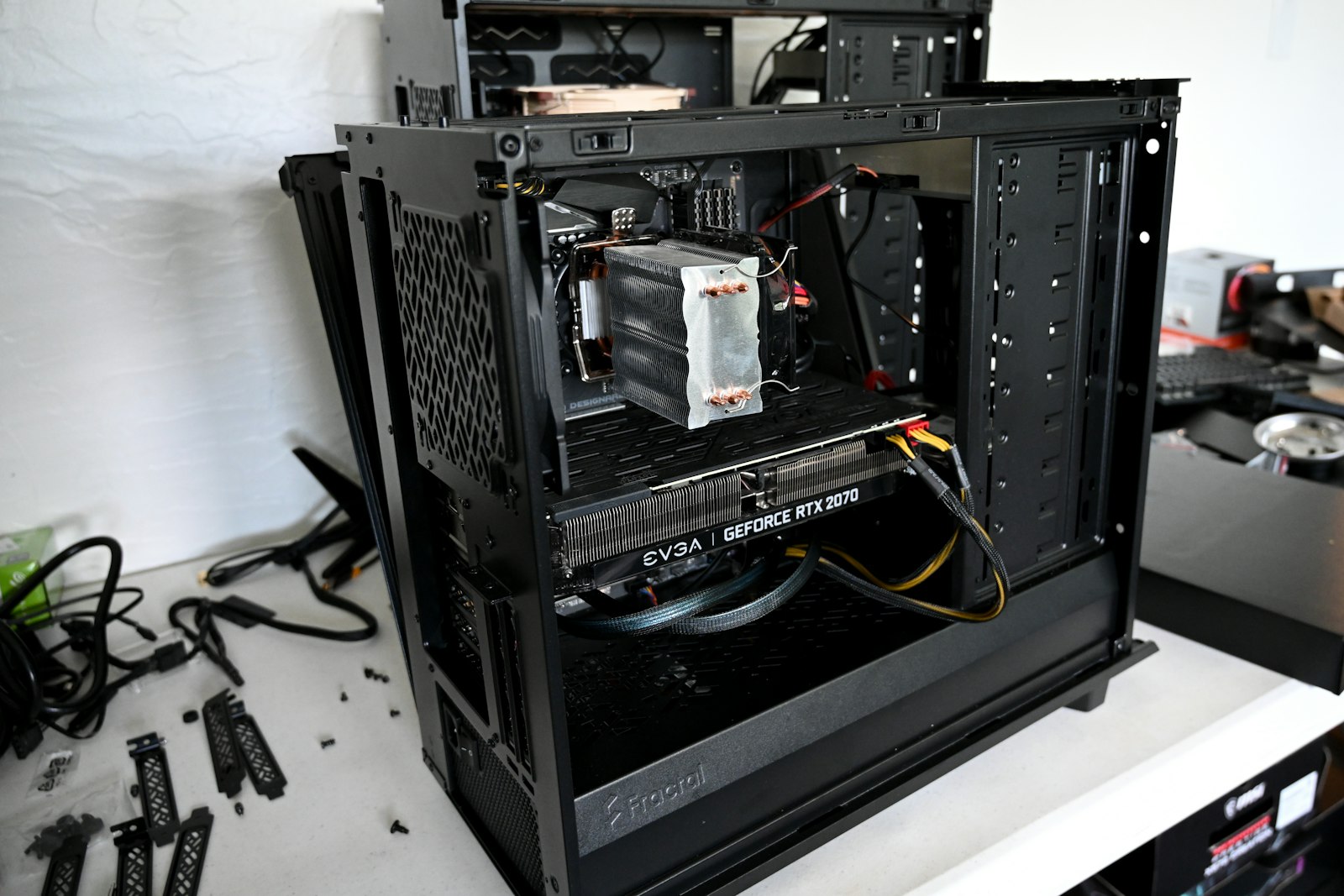
The RTX 5060-tier PC is sized to GSPro specifically, not to gaming benchmarks in general. GSPro’s own guidance puts an RTX 3060 as the floor for 1080p play and an RTX 3060 Ti or 3070 for 1080p Ultra; a 5060 clears that Ultra tier with room to spare at this budget’s target resolution. If your ambition is 4K course rendering rather than 1080p, that’s a $10,000-tier decision, GSPro’s community consensus puts an RTX 4070 as the real floor for 4K Ultra at 60fps, and squeezing a 4K-capable card into this budget means cutting somewhere else that matters more at $5,000.
The one substitution most builders make
Swap the SkyTrak+ for the Bushnell Launch Pro ($2,499.99) and you free up close to $500, enough to bump the projector to the BenQ AK700ST tier or upgrade the mat. Both launch monitors are defensible at this budget. SkyTrak’s photometric read works off a roughly 2-inch by 2-inch hitting zone and needs less flight distance to nail spin accurately, so it favors a tight garage bay. Give it generous room behind the tee position instead, and the Launch Pro’s price, plus its Foresight-derived club data once you add the Silver subscription, wins on everything else.
Where the real cost surprises show up
Enclosure assembly is genuinely fast, reviewers report a solo build finished in just over an hour, or about an hour with a second set of hands, using 1-inch EMT conduit for the frame and the kit’s zip ties, ball bungees, and Velcro to tension the screen and hang the surrounding curtain. The one line item worth double-checking before you order: the DIY kit itself doesn’t include the framing pipes unless you also buy Carl’s Place’s pipe kit accessory, budget for a trip to the hardware store for 1-inch EMT if you skip it. Electrical work (a dedicated outlet for the projector and PC) and any drywall or trim finishing are not included in this parts total either. Budget separately for installation labor if you’re not doing it yourself.
One more line item worth adding before the first hitting session: golf simulator turf flooring under the mat and enclosure footprint. It protects a garage floor from divots and rolling balls for a fraction of what patching concrete or replacing flooring costs later.